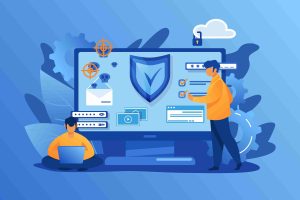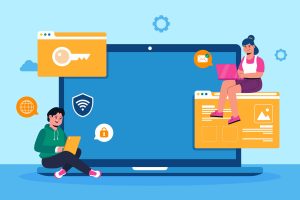
In today’s digital landscape, cybersecurity is no longer just a concern for large corporations. Small businesses are increasingly targeted by cybercriminals, often because they are seen as easy prey with fewer security measures in place. However, even with limited resources, there are straightforward and effective steps small businesses can take to protect themselves from cyber threats. At secureCENTRX, we understand the unique challenges small businesses face and are here to help you stay secure with these actionable strategies.
1. Implement Strong Password Policies
One of the simplest yet most effective ways to secure your business is by enforcing strong password policies. Weak passwords are a common vulnerability exploited by attackers. Ensure that all employees:
- Use unique passwords for each account.
- Include a mix of uppercase and lowercase letters, numbers, and special characters.
- Regularly update their passwords (at least every three months).
- Enable multi-factor authentication (MFA) wherever possible for an added layer of protection.
Tip: Consider using a password manager to help employees securely store and manage their passwords.
2. Regularly Update Software and Systems
Cybercriminals often exploit vulnerabilities in outdated software, so keeping your systems up to date is essential. Set up automatic updates for:
- Operating systems (Windows, macOS, Linux)
- Web browsers and plugins
- Business applications
- Firewall and antivirus software
By ensuring all software is current, you reduce the risk of cyberattacks targeting known vulnerabilities.
3. Train Employees on Cybersecurity Awareness
Human error is one of the leading causes of data breaches. Educating employees on cybersecurity best practices can significantly reduce the risk of an attack. Consider implementing a regular training program that covers:
- How to recognize phishing emails and avoid clicking on suspicious links.
- Safe internet browsing habits.
- The importance of not sharing passwords or sensitive information over email or unsecured channels.
- How to report suspected cybersecurity incidents.
Tip: Regularly update training to reflect the latest cyber threats.
4. Back Up Your Data Regularly
Backing up your data ensures that in the event of a cyberattack, like ransomware, you have copies of your important files that can be quickly restored. Implement a data backup strategy that includes:
- Regular automatic backups of all critical files.
- Using both on-site and off-site storage solutions (such as the cloud).
- Testing backups periodically to ensure they can be restored successfully.
By doing so, your business can recover quickly and minimize downtime if data is compromised or lost.
5. Use a Firewall and Antivirus Software
Firewalls and antivirus software are essential tools to protect your network from malicious traffic and malware. A firewall helps monitor incoming and outgoing network traffic and blocks unauthorized access, while antivirus software detects and removes malicious programs. Ensure that:
- Your firewall is properly configured and kept up to date.
- Antivirus software is installed on all computers and updated regularly to stay ahead of new threats.
6. Secure Your Wi-Fi Network
Your business’s Wi-Fi network can be an easy entry point for attackers if not properly secured. Follow these steps to protect your network:
- Change the default router password to something strong.
- Use WPA3 encryption, the latest standard, to secure your network.
- Hide your Wi-Fi network’s SSID (Service Set Identifier) so it doesn’t appear in the list of available networks.
- Set up a separate Wi-Fi network for guests or clients to prevent them from accessing your internal systems.
7. Limit Access to Sensitive Data
Not every employee needs access to all of your business’s sensitive data. By following the principle of least privilege, you can reduce the risk of internal breaches. Assign permissions based on the employee’s role, and ensure that access to sensitive information is limited to those who truly need it.
Tip: Regularly review access controls and revoke access when employees change roles or leave the company.
8. Create a Cybersecurity Incident Response Plan
No matter how strong your defenses are, there’s always a chance that a cyberattack will occur. Being prepared with a cybersecurity incident response plan can help you minimize damage and respond effectively. Your plan should include:
- Steps for identifying and isolating the threat.
- How to notify key stakeholders and employees.
- A communication plan for informing customers if sensitive information is compromised.
- A recovery strategy to get your systems back online as quickly as possible.
Tip: Test your response plan regularly through simulated attacks or tabletop exercises.
Conclusion
Cybersecurity may seem overwhelming for small businesses, but with these simple steps, you can significantly improve your defense against threats. By enforcing strong password policies, keeping software updated, training employees, and having a plan in place, you can protect your business and reduce the risk of a costly data breach. At secureCENTRX, we offer tailored cybersecurity solutions designed to meet the needs of small businesses. Contact us today to learn how we can help safeguard your business from cyber threats.
SEO Keywords: small business cybersecurity, password policies, software updates, cybersecurity training, data backups, firewalls for small business, Wi-Fi security, cybersecurity incident response plan